Colour Profiles Explained: sRGB, Display P3, Adobe RGB, Rec.709 and CMYK in One Cheat Sheet
Which colour profile should you export for the web, social media, print and video? A plain-language guide to sRGB, Display P3, Adobe RGB, Rec.709 and CMYK (FOGRA/SWOP), with a decision flowchart.

After reading this, you’ll know which colour profile to export for web, social, print and video, and why the wrong one makes colours look dull or strange.
Why it matters
A colour value like #6B4AFF isn’t a colour on its own. It’s an instruction: “this much red, green and blue”. A colour profile tells the device what those numbers mean. Export the right numbers with the wrong profile and the same file looks vivid on your screen, washed out on a client’s phone and muddy in print.
I deal with this from two sides: as a designer exporting brand files, and as a broadcast engineer, where video has its own colour rules. The good news is that you only need to understand five profiles to make the right choice almost every time.
The idea explained
Every profile describes a gamut: the range of colours it can represent. On a chromaticity chart (the horseshoe of all colours people can see), each RGB gamut is a triangle. A bigger triangle can show more saturated colours.
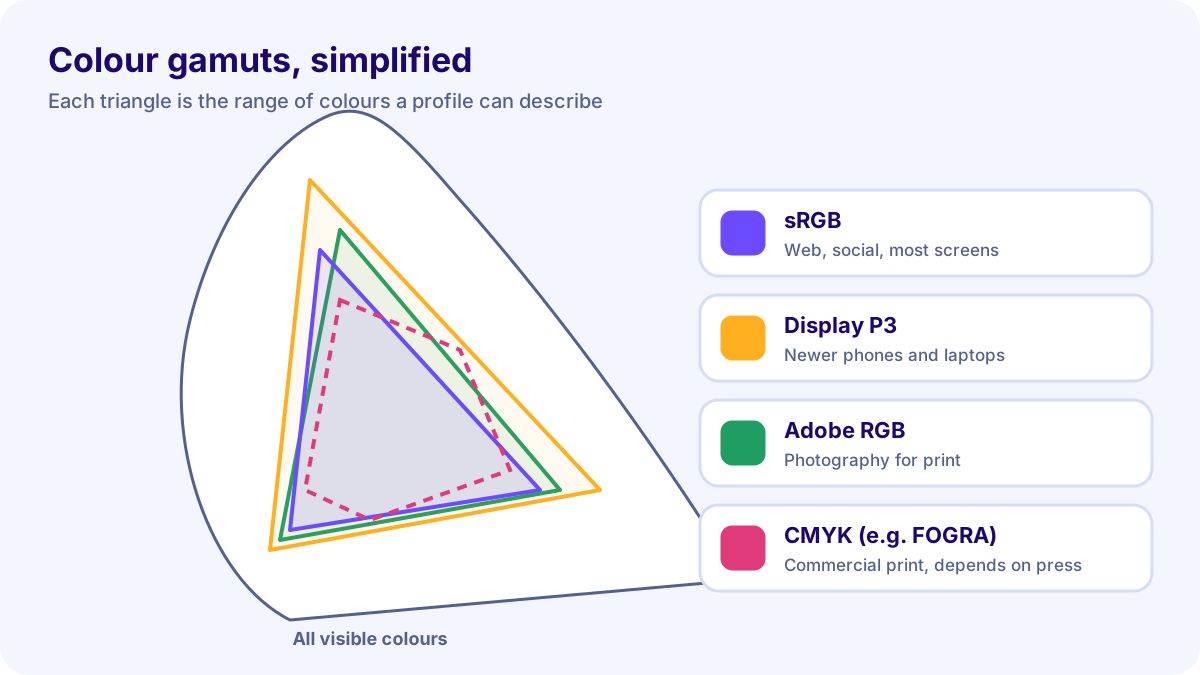
Here are the five you’ll meet most:
- sRGB: the standard for the web and most screens since the 1990s. Smallest of the RGB gamuts here, and the safest default.
- Display P3: a wider gamut used by most recent iPhones, Macs and many Android flagships. Roughly a quarter more colour area than sRGB, especially in reds and greens.
- Adobe RGB (1998): wider than sRGB in greens and cyans. Popular with photographers who print, but rarely the right choice for screens.
- Rec.709 (BT.709): the HD television standard. It uses the same primaries as sRGB, but video also uses a limited “legal” signal range and its own gamma. More on that in a later post on broadcast-safe colour.
- CMYK (FOGRA, SWOP, GRACoL): not one profile but a family describing specific printing conditions: paper, ink and press. FOGRA profiles are common in Europe and Asia; SWOP and GRACoL in the US. Ask your printer which one they use.
A real example
Take a bright violet button colour from a brand palette and export it three ways:
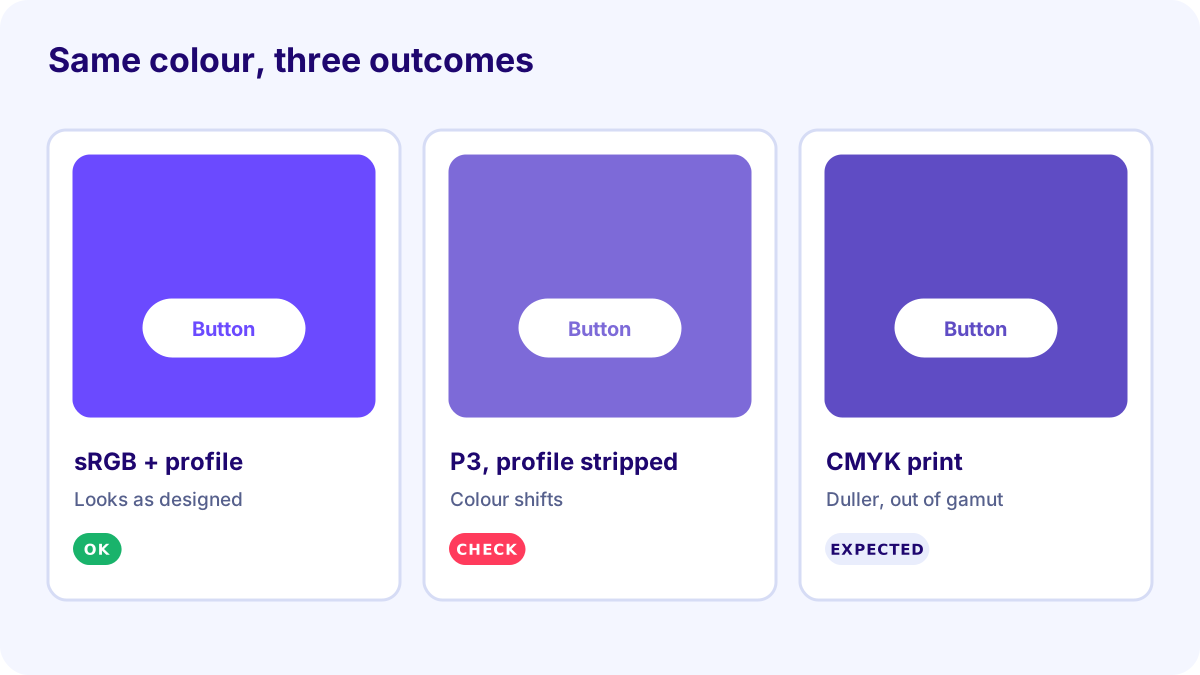
- Exported in sRGB with the profile embedded: looks the same in every modern browser.
- Exported in Display P3 but the profile stripped (some upload tools do this): the numbers are read as sRGB, and the colour shifts.
- Converted to CMYK for print: the most saturated violets fall outside the CMYK gamut, so they become slightly duller. That’s physics, not a mistake, and it’s why print proofs matter.
Try it yourself
Use this decision path for your next export:
| Where will it be seen? | Export as |
|---|---|
| Website, email, most social media | sRGB, profile embedded |
| App or site targeting modern Apple devices, with a fallback | Display P3 + sRGB fallback |
| Video for TV or YouTube | Rec.709 (check your editor’s project settings) |
| Commercial print | CMYK profile from your printer (e.g., a FOGRA profile) |
| Photo printing at a lab | Ask the lab: often sRGB or Adobe RGB |
Then open one of your recent exports in Photoshop (Edit → Assign Profile shows what’s embedded) or check it with an online EXIF viewer. Is the profile what you expected?
Common mistakes
- Designing in a wide gamut and exporting without conversion. Convert to sRGB on export rather than just labelling.
- Stripping profiles to save a few kilobytes. Many optimisers remove them; check the settings.
- Converting to CMYK yourself with a generic profile. Use your printer’s profile, or send RGB and let them convert, if they prefer.
- Assuming Rec.709 and sRGB are interchangeable. The colours match, but video levels and gamma are different.
- Trusting one uncalibrated screen. Check on a few devices before approving.
Summary
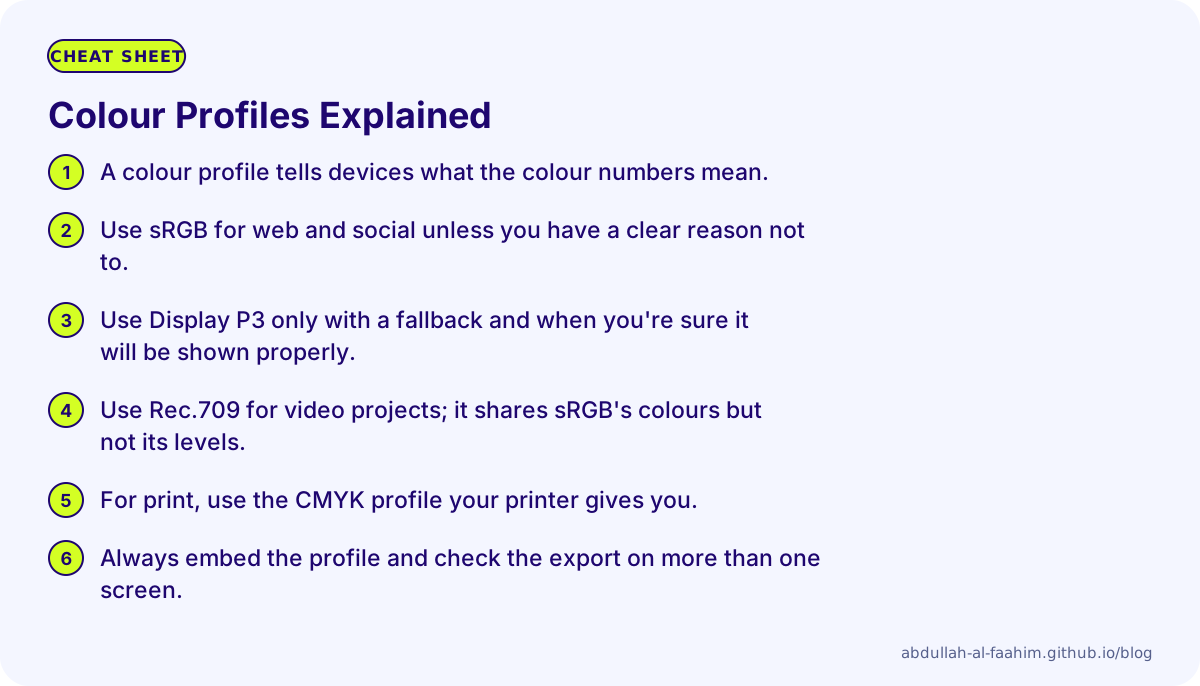
- A colour profile tells devices what the colour numbers mean.
- Use sRGB for web and social unless you have a clear reason not to.
- Use Display P3 only with a fallback and when you’re sure it will be shown properly.
- Use Rec.709 for video projects; it shares sRGB’s colours but not its levels.
- For print, use the CMYK profile your printer gives you.
- Always embed the profile and check the export on more than one screen.
Sources and image credits
- International Color Consortium (ICC), about ICC profiles.
- ITU-R, Recommendation BT.709.
- Apple Developer documentation on wide colour (Display P3).
- All diagrams were drawn by me for this post. Gamut shapes are simplified for explanation, not measured data.
Broadcast engineer at Channel i, brand and social media designer, and maker of offline-first apps for Bangladesh.
See my work